
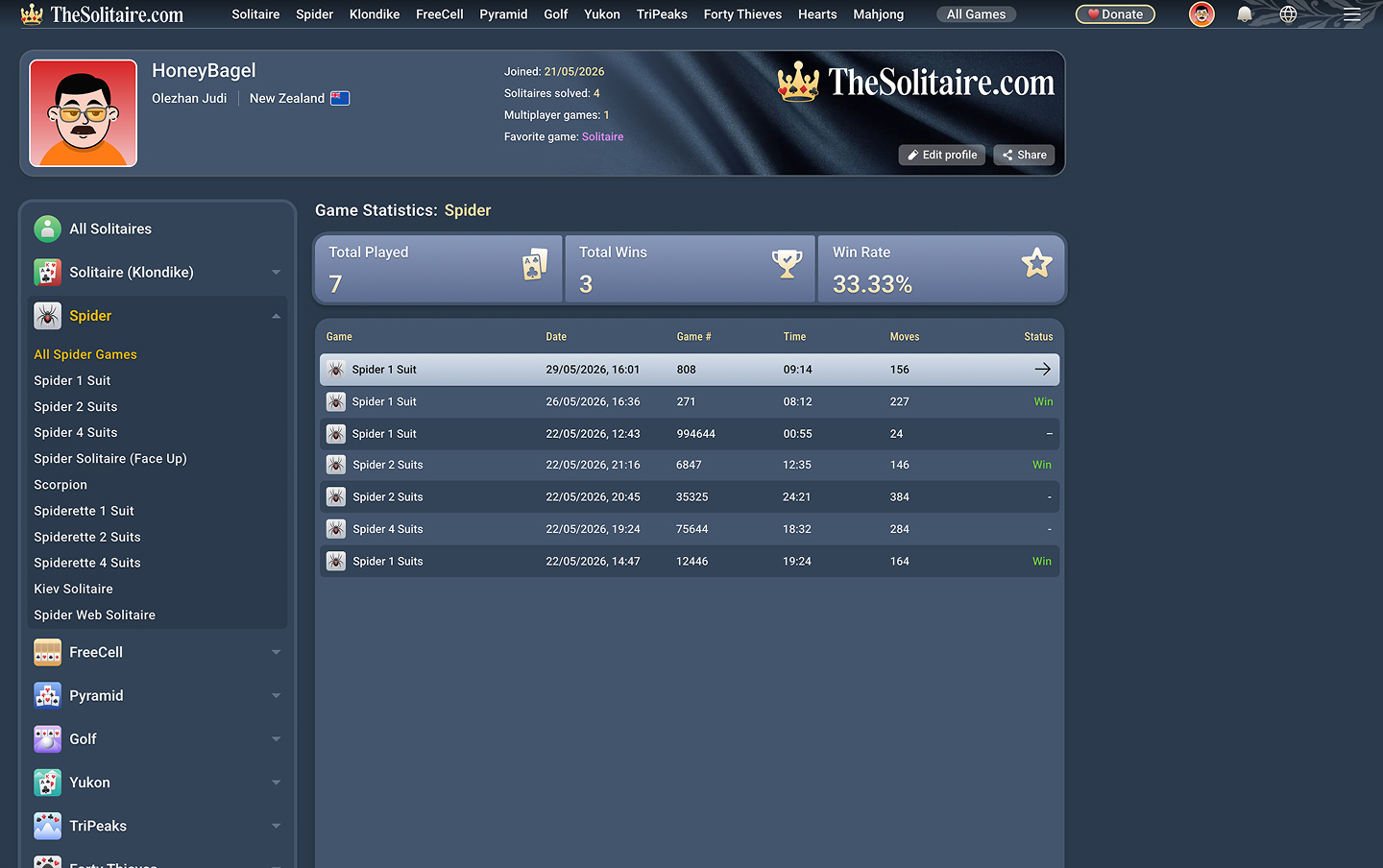
Registration is now available on TheSolitaire.com. You can still use the site and play card games without creating an account, just as before, but signing in now lets you save your game history, view your statistics, and continue unfinished games on another device.
How to Create an Account
To create an account, open the account menu in the top-right corner of the site and choose Create account.

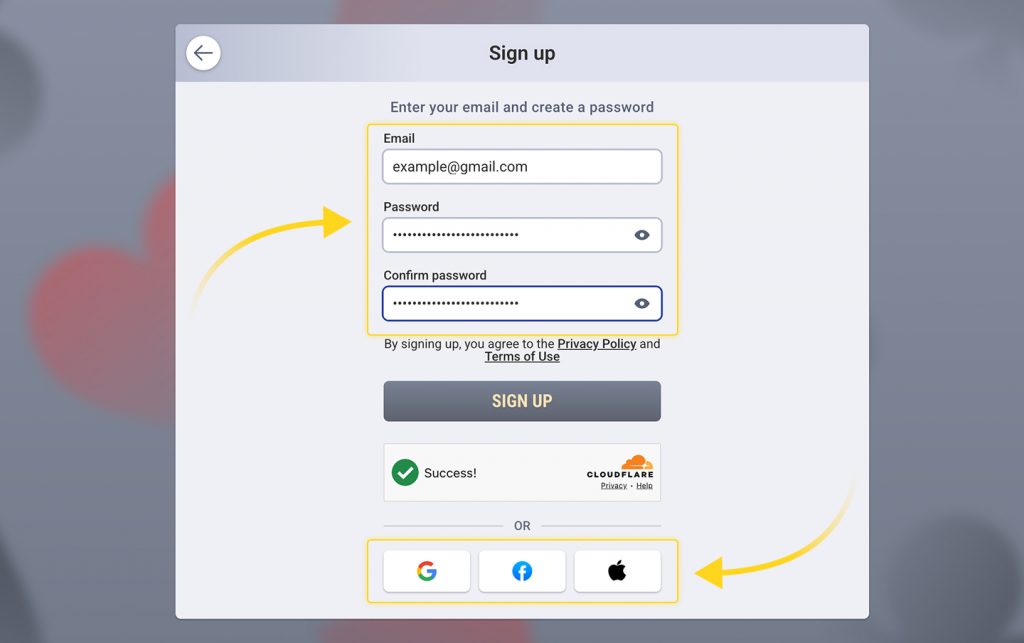
Enter your email, create a password, confirm it, and click Create account. You can also sign up with Google, Facebook, or Apple instead.
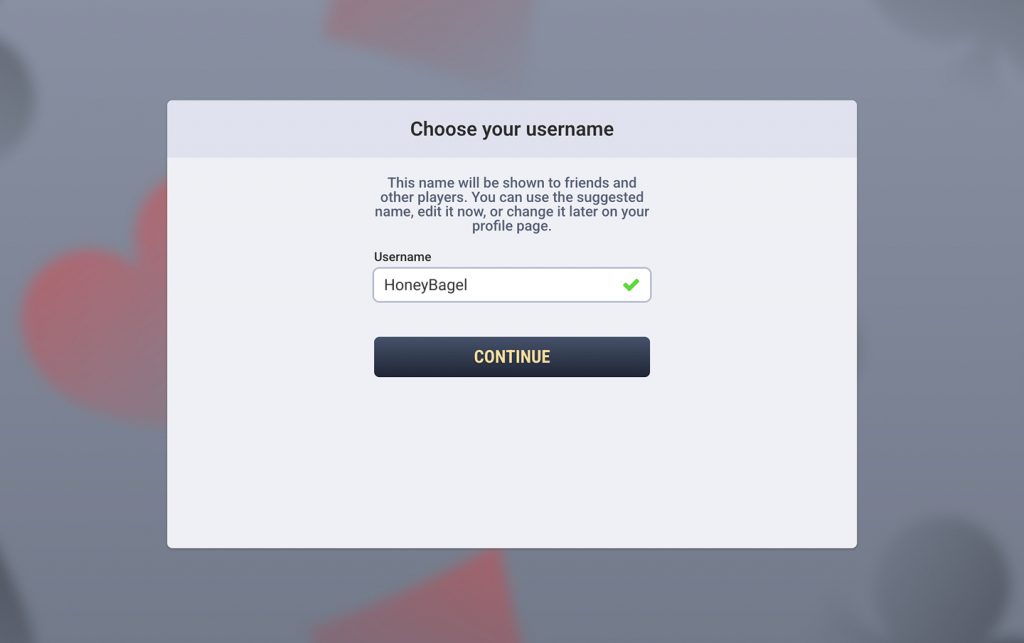
Next, TheSolitaire.com will ask you to choose a username. A random name is suggested automatically, but you can edit it before continuing. This name will be shown to friends and other players, and you can change it later on your profile page.
After you continue, your account is created and you will be taken to your profile page. If you signed up with email and password, check your inbox and click the verification button in the email from TheSolitaire.com to confirm your email address.
Your Profile and Statistics
Your profile page brings together your player information and your solitaire statistics.
You can add a short bio, write something about yourself, or even leave a joke there. Your profile also shows your avatar and your favorite game. To change your avatar, click or tap on it.
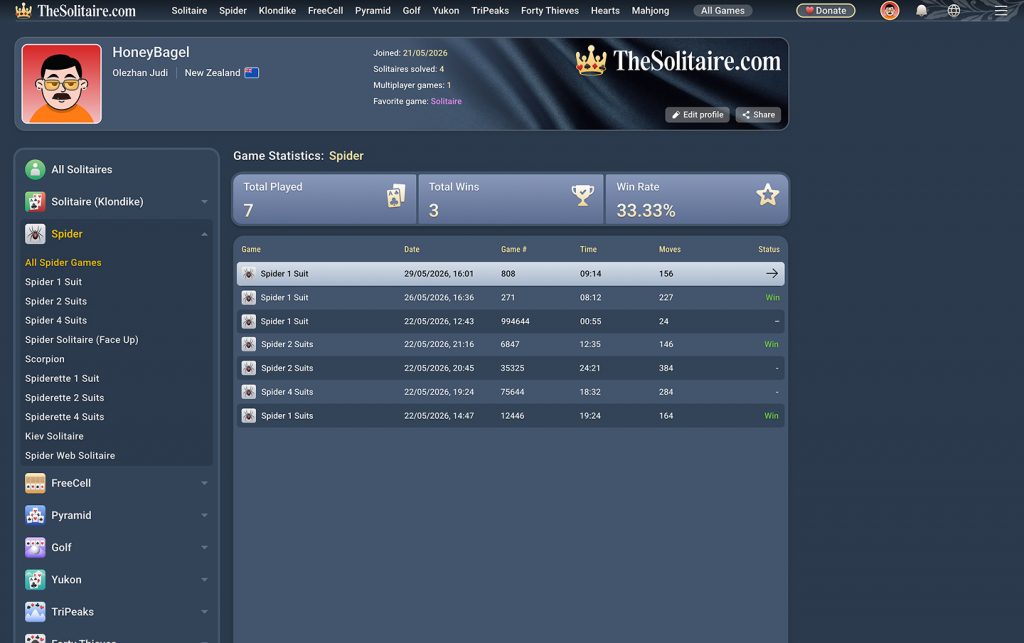
The statistics section shows your total solitaire games played, total wins, win rate, and recent games. You can view your solitaire statistics in several ways: across all solitaire games, across all games of one solitaire type, or for one specific solitaire game. For example, you can check your overall solitaire statistics, then open the Spider category to see your results across all Spider games, and then select Spider 4 Suits to view statistics for that version only.
You can also share your profile with other players. Send the link to a friend, show your favorite game, or let someone see your solitaire statistics without taking screenshots.
We also plan to add more profile features in the future, including achievements and a friends list.
Continue Playing on Another Device
Not every game ends in one sitting. You might start playing on your computer, step away for a while, and then want to continue from your phone or tablet later.
If you were signed in when you started the game, open TheSolitaire.com on another device and sign in to the same account. Your unfinished game will be there, so you can return to it instead of starting over.
FAQ
Do I need an account to play on TheSolitaire.com?
No. You can still use the site and play card games without creating an account.
What does an account add?
An account lets you save your game history, view your statistics in your player profile, and continue unfinished games on another device.
How do I create an account?
Open the account menu in the top-right corner of the site and choose Create account. You can sign up with an email address and password, or use Google, Facebook, or Apple.
Do I need to verify my email address?
If you sign up with an email address and password, check your inbox and click the verification button in the email from TheSolitaire.com.
Where can I see my statistics?
Your statistics are shown on your profile page. You can view statistics across all solitaire games, across one solitaire type such as Spider, or for one specific game such as Spider 4 Suits.
Can I continue a game on another device?
Yes. Start a game while signed in, then open TheSolitaire.com on another device and sign in to the same account. Your unfinished game will be available there.
Can I change my username or avatar?
Yes. You can change your username on your profile page. To change your avatar, click or tap on it.